3rd generation ipod install
IPod 3rd generation battery installHow do i install IPod 3rd generation battery, a guide to help you with pictures and links to buy correct battery pack
This is a simple guide with pictures to help you install your Apple IPod 3rd generation iPod battery pack, remember to keep your new battery fully charged, if you allow it to become flat for long periods you will have to go through all this again to put a new battery in, just keep it charged.
Installation Guide for Apple 3rd Generation IPod battery
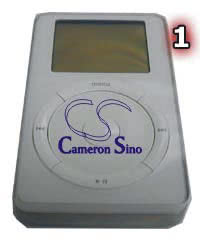
Step 1; Flip your IPod over onto back side, ensure you do this on a soft cloth so you do not scratch the case.
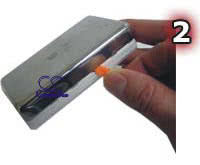
Step 2; You will need a shim tool, this is supplied with the replacement battery pack from us, insert into the corner area and turn lightly to begin prying open your IPod
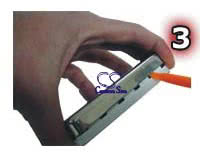
Step 3; Continue prying gradually working along to open side seam unlocking each tab as you go. (There are 5 total tabs to unhook as seen in the picture below)
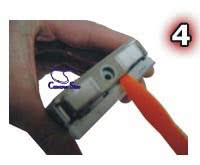
Step 4; After you have released all the plastic tabs, your unit should now open and separate the back side cover of the unit. You may need to pry loose the audio port area to easily open the case

Step 5; The battery is laying on top of the hard drive (unit) and is attached by double sided tape.
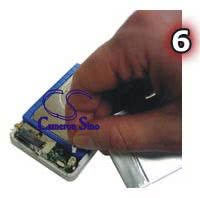
Step 6; Once you have released the battery from the double sided tape you will notice a power connector attached to the motherboard. his picture shows the Battery disconnected and laying next to the iPod unit.
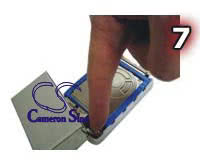
Step 7; You can now attach a new battery
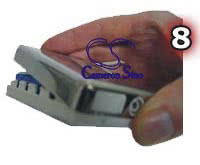
Step 8;When re-assembling your unit case start with the audio port area first and then click back the case into the holding tabs. Snap on the cover and put back the single screw. Your new battery will need a minimum of five hours of charging before first use, it can take up to 10 charges and discharges before you properly condition the battery
here is link to buy a 3rd generation replacement battery from our store
or
3rd generation extended battery
Back to how to install battery guides
Please note: The above is a information guide only, we do not recommend that anyone should replace a battery or take their equipment apart in anyway and do not accept any liability for any damage to the equipment, battery or yourselves if you do so